
How to test this first widget ?#
In this chapter we will:
how to do simple test of a new orangecontrib widget
Including the code in an orangecontrib section#
Orange offers a mechanism to include widget(s) to the orange canvas.
Too benefit of it your library must contain a ‘orangecontrib’ module. See Starting a New Project from Scratch chapter.
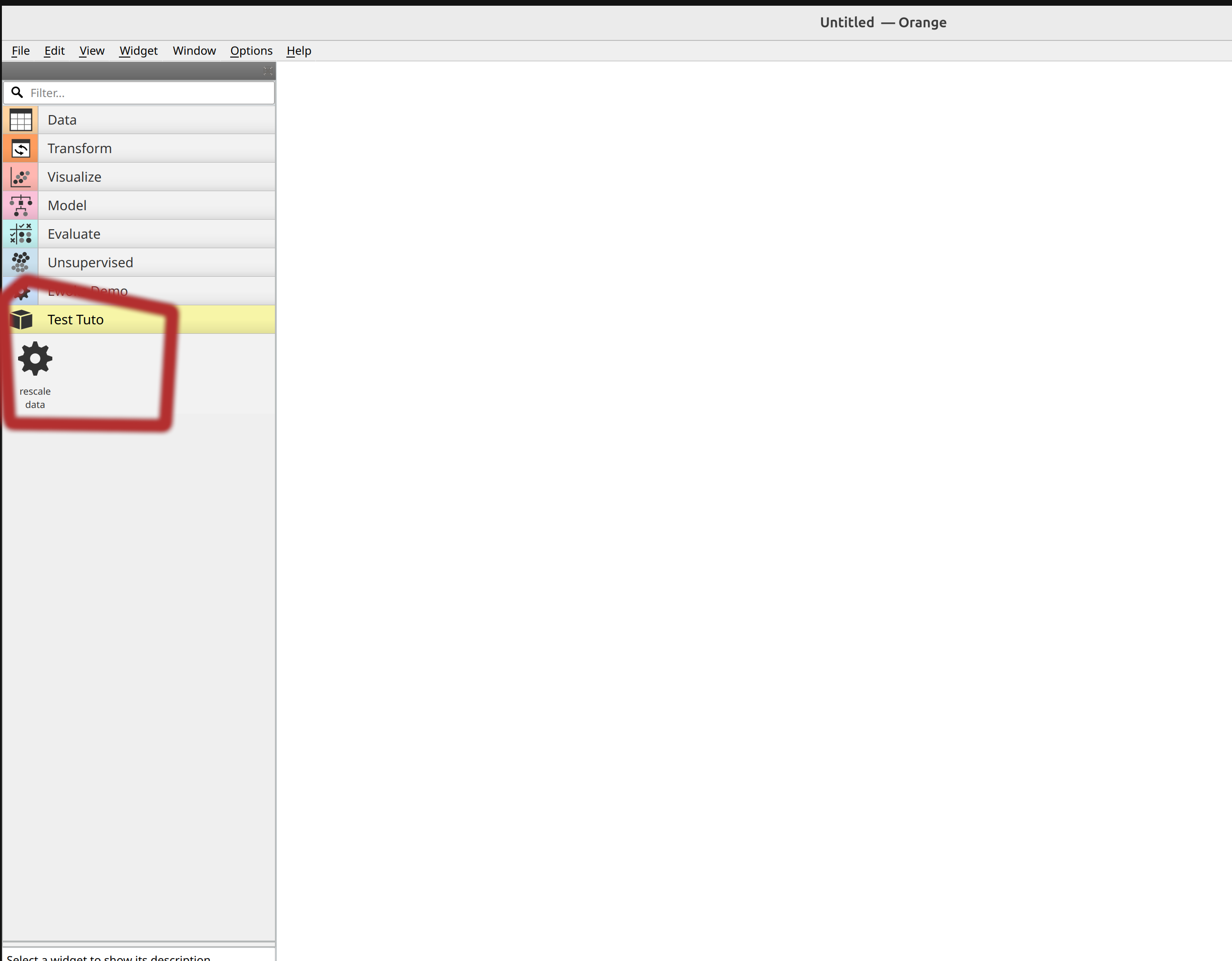
If your project is correctly configured you should now perceive the widget we are building:
Note
in this example we have an empty project with orange installed. The ClipDataOW has been added in a Test Tuto orangecontrib.
Hint
ewoks-canvas is automatically launching the widget discovery. If you are using orange-canvas instead you might need to use the –force-discovery option.
Warning
each Orange widget should be in a dedicated file. Else orange parsing will fail.
Test it with ‘Orange3 python script’ widget#
Orange3 package offers the ‘python script’ widget which are very convenient for testing.
Make sure you have Orange3 installed:
pip install Orange3
Create a workflow for testing a task#
Then you will be able to create a workflow like
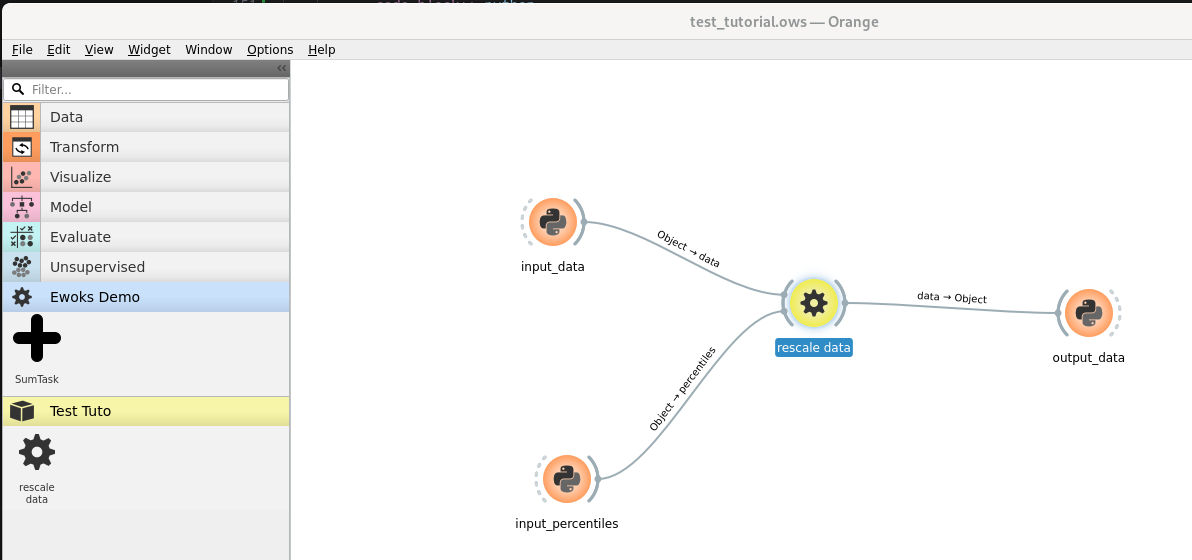
In this example the * ‘rescale data’ is the task you just created. * The three other tasks / widgets are instances of python script from Orange3
Hint
the pythonscript widget is now part of the transform category but it might also be in the ‘data’ category according to the version you are using.
Warning
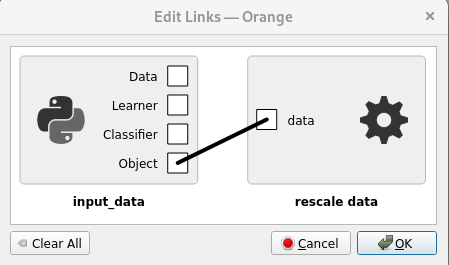
Link should use the Object input / output. Other types are Orange specific object that we don’t need here.
Providing input and output#
Now we can provide the task inputs from the two widgets ‘input_data’ and ‘input_percentiles’ and print the output data from output_data widget. Here is the source code we will used in each of the widgets:
import numpy
# generate a numpy array with values between 0.0 to 1.0
out_object = numpy.random.random(size=10000).reshape(100, 100)
print("input data min is", out_object.min())
print("input data max is", out_object.max())
out_object = (10, 90)
print("output data min is", in_object.min())
print("output data max is", in_object.max())
when running the first two python widget we get:
Running script:
output data min is 0.10002332932732391
output data max is 0.9068068838817003
If you have a close result then you can move to the next section.